Run MANOR at home.

Download for a Mac or Linux computer that stays powered on and connected to your home network.

For Mac

A Mac mini or another supported Mac.

Apple silicon · macOS 13 or later
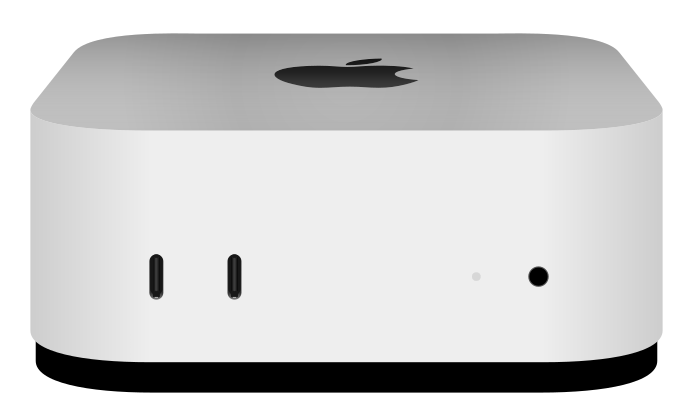
Silver Mac mini with the Apple logo and front USB-C ports
Mac mini
Download for Mac

Checking the latest release…

macOS blocks unsigned installers if you double-click. Unzip the download, then open Terminal and run:

bash ~/Downloads/ManorEdgeInstaller.command
System requirements
  • An Apple silicon Mac running macOS 13 or later.
  • Keep the computer connected to power and your home network.
  • Memory and storage needs depend on your devices and recording settings.

For Linux

A mini PC, desktop, or server.

x86-64 · Debian or Ubuntu

Mini PC
Desktop
Server
Download for Linux

Checking the latest release…

Run the script in Terminal from your download folder:

bash manor-edge-install.sh
System requirements
  • An x86-64 computer running Debian or Ubuntu with systemd.
  • Raspberry Pi and other ARM Linux devices are not supported by this installer.
  • Keep the computer connected to power and your home network.
  • Memory and storage needs depend on your devices and recording settings.

Connect your home

Sign in and add your home. Once setup is approved and ready, create a single-use pairing key in your account. Enter it when the installer asks.

View and control your home from the iPhone app. We’ll confirm app access during setup.

Your home. Your data.

At home

Your computer connects to cameras and devices on your home network. Dedicated can keep configured recordings and object detection on that computer.

When cloud services are used

Some features and integrations use cloud services. Media may leave your home for remote viewing and enabled recording, alert, or clip features.

Connection and service data

Encrypted live video may use a relay when a direct connection is unavailable.

We store your registration and pairing details and receive your computer’s identity, software version, network addresses, configured services, and CPU, memory, and disk health. We use this for setup, remote access, updates, reliability, and support.

Linux is a registered trademark of Linus Torvalds. Tux was created by Larry Ewing using GIMP.